Streamlining AWS Deployment
Creating Apps From AWS Building Blocks
Section titled “Creating Apps From AWS Building Blocks”Vizier supports several application architectures, with the most extensive being three tier, “full stack” applications. Applications can be split into a front end, a back end, and a database. Vizier combines different AWS services to support each tier with appropriate infrastructure.
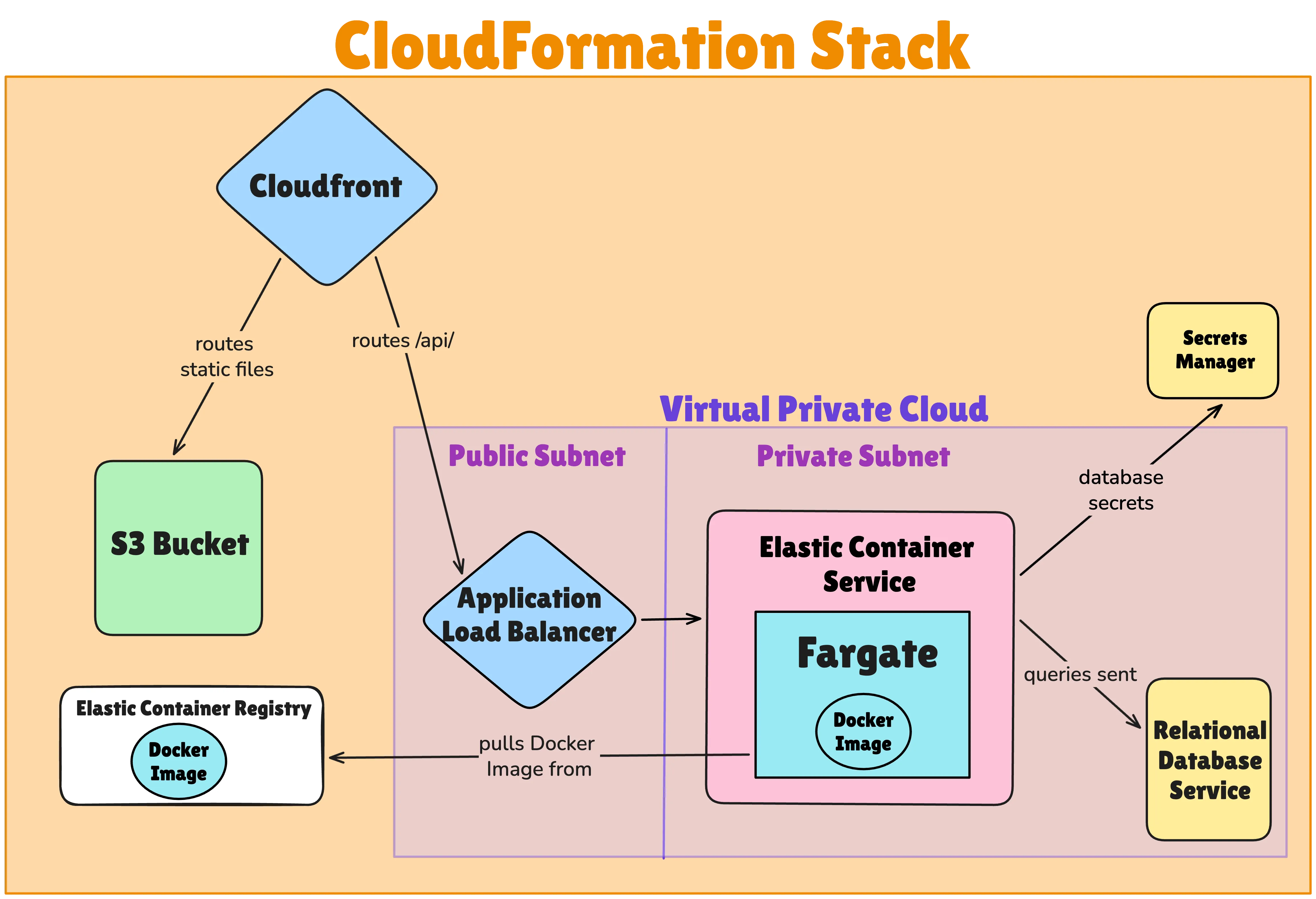
The front end of an application with Vizier is made up of static files. To store and serve files without needing to run dynamic business logic, Vizier uses Amazon Simple Storage Service (S3). HTTP requests are routed to these files through an AWS CloudFront distribution, which also caches static files to quicken response time.
To deploy a back end server, Vizier requires users to include a Dockerfile in their project repo. The resulting Docker image is deployed using Amazon Elastic Container Service (ECS). Requests to this application server are routed using the CloudFront distribution mentioned above, with a custom behavior that directs /api routes to the server while serving other routes from the static files in S3.
Databases are used by the application server to create, read, update, and delete persistent data. Vizier uses Amazon Relational Database Service (RDS) to provide a managed PostgreSQL database, which allows for automatic backups and failover in case of outages.
Combining the aforementioned front end, back end, and database results in a full stack application supported by the following AWS architecture:
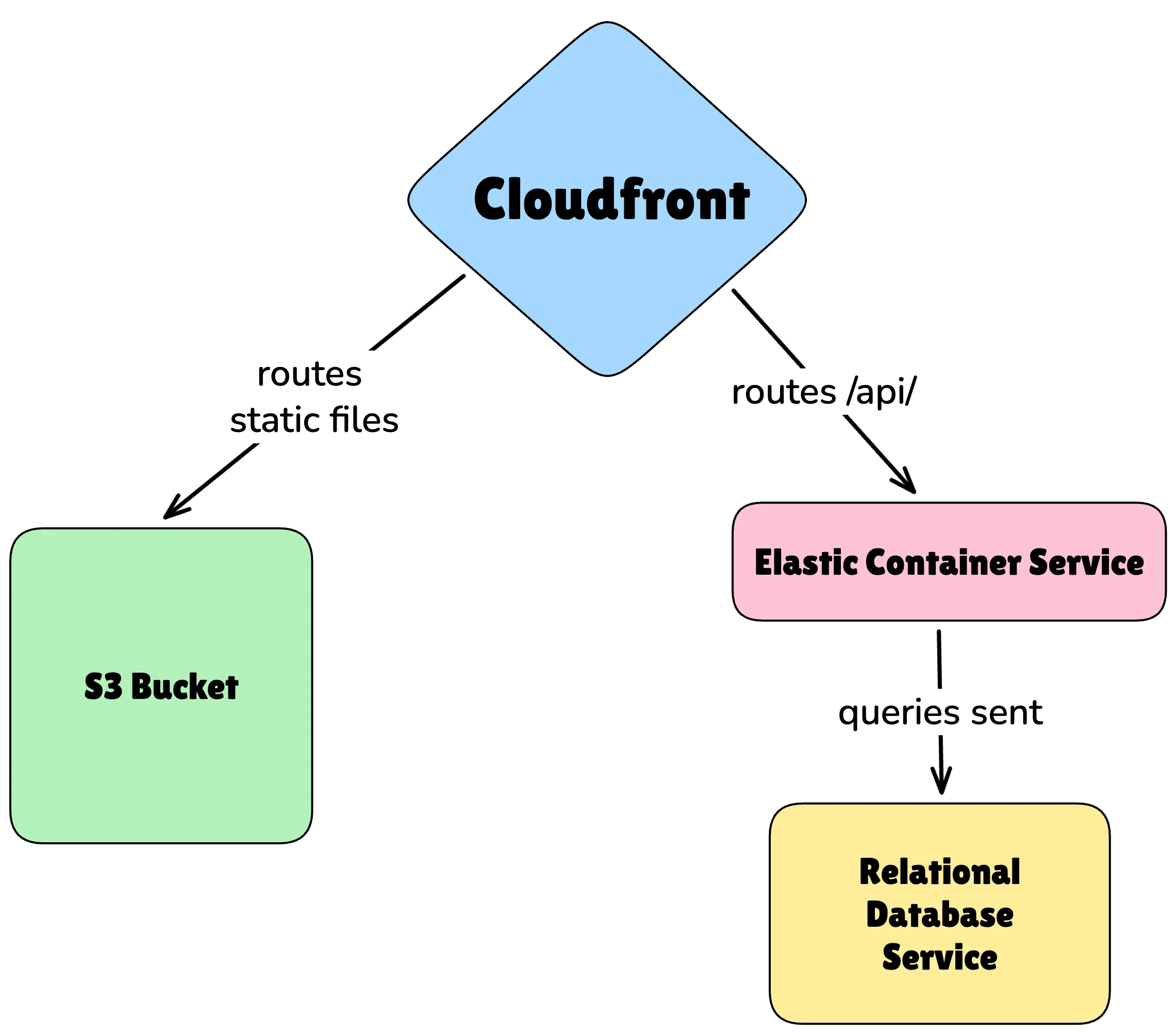
The diagram above is a simplification. Vizier uses many other resources to deploy the user’s application. The user doesn’t need to worry about any of them. They can think in terms of having a front end, a back end, and a database, and Vizier builds out a complex architecture that the user would otherwise have to manually configure in AWS.
The back end server in particular involves many concerns that Vizier abstracts away from the user:
-
ECS has a few options for sourcing the computing capacity to deploy a container. We chose Fargate over EC2 for its simplicity and because our research indicated that achieving lower costs with EC2 requires more fine-tuning. 4
-
The Docker image needs to be uploaded to a registry, so Vizier creates a repository in AWS Elastic Container Registry.
-
To allow scaling the back end server to many instances, Vizier deploys an Application Load Balancer that distributes traffic between server instances.
-
To connect the back end to the database, Vizier stores the database credentials in the AWS Secrets Manager, then defines the ECS task to securely inject environmental variables from those secrets.
Network access to all these resources is restricted according to the principle of least privilege, granting access only as necessary. This is achieved by housing the load balancer, containers, and database all within a virtual private cloud (VPC). The VPC is partitioned into subnets. Public endpoints like the load balancer are in a public subnet. Resources that don’t need to be publicly accessible, including the containers and the database, are in a private subnet.
Vizier uses the AWS service CloudFormation (CF) to deploy the aforementioned infrastructure. CF deploys many resources based on a user-defined template, provisioning them in a group called a stack. This makes it easy to connect resources together, operate on (e.g. delete) them as a group, and deploy resources that depend on other resources in the correct order. The Vizier CLI builds a CF template, combining our custom partial templates depending on the user’s configuration, and deploys that template as a stack.
We are now ready for a more thorough diagram of the resources Vizier deploys for a user’s full stack app:
Stack Presets
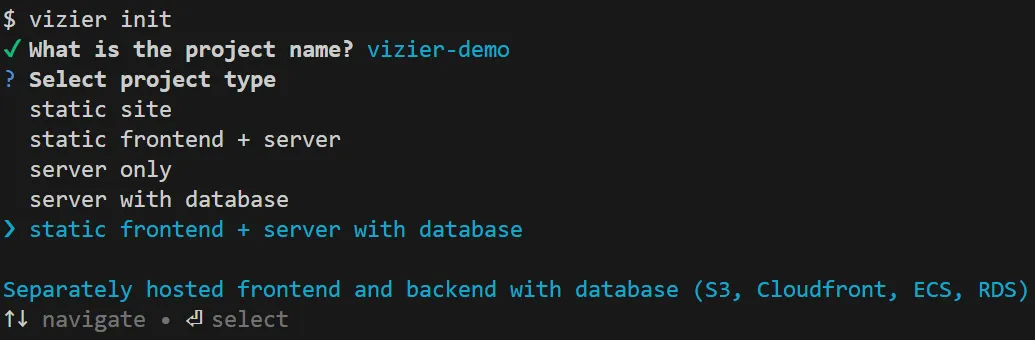
Section titled “Stack Presets”Vizier abstracts away architectural details and presents the user with a simple choice between five pre-configured stacks. One of the options is the full stack depicted above, including all three of a front end, a back end, and a database. The other four options contain only some of those three elements.
Stack selection menu:
Depending on the stack preset selected, Vizier asks the user for the path to their static files and/or Dockerfile:
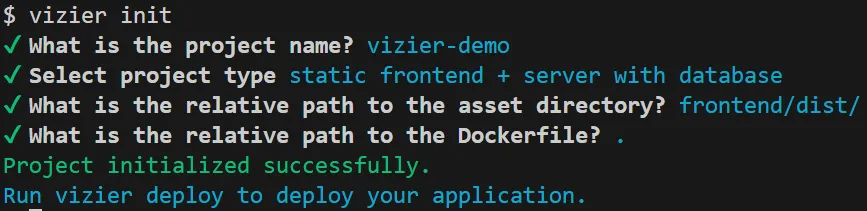
And that’s it for project configuration. Setup is complete and a simple vizier deploy will trigger fully automated deployment.
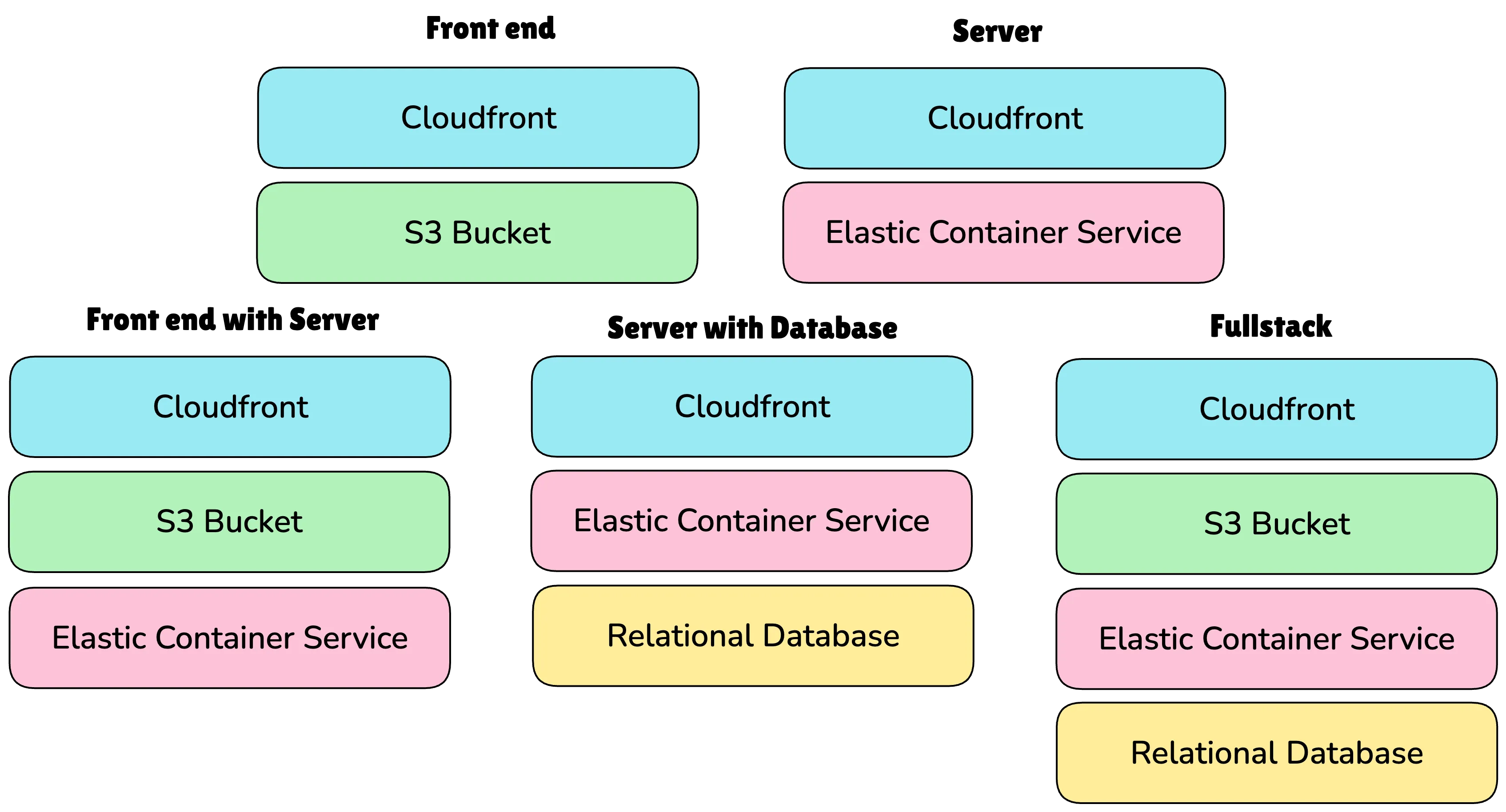
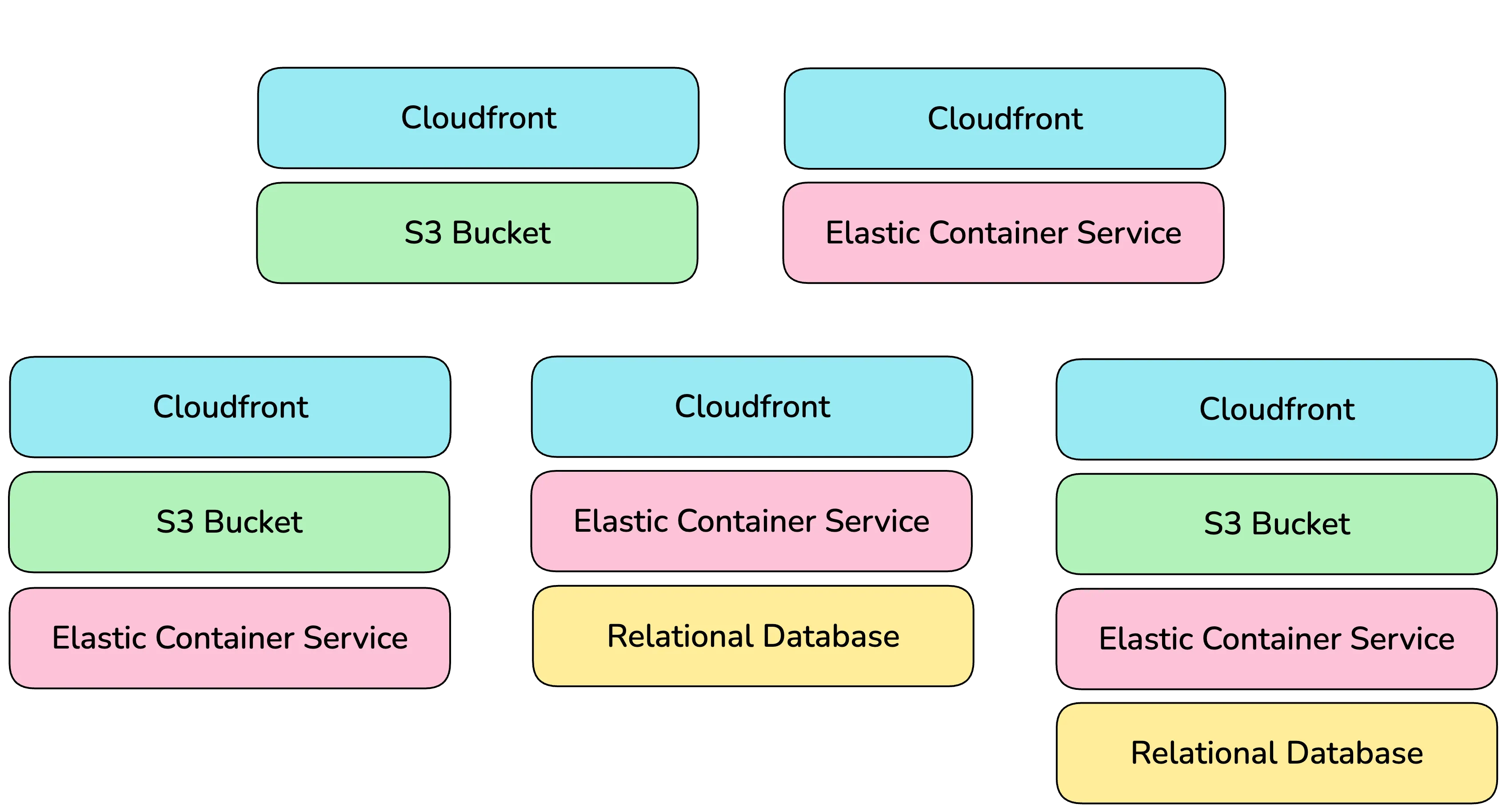
The five stacks are composed of various AWS resources and are broadly represented in the diagram above.
Vizier configures resources based on the stack selected. For example, all of the stacks use CloudFront, but its behavior depends on which combination of front end and/or server is present. The stacks are defined as:
- Front end: For a simple static site, such as the one you’re reading right now, Vizier will deploy the user’s files to an S3 bucket, and set up a CloudFront distribution.
- Server: For a site running entirely in a container without a separate front end, Vizier will spin up a CloudFront distribution routing to the server on ECS. The configuration of the server is set by the user via a Dockerfile.
- Front end with Server: For a site with a separate front end and back end but no persistent data, Vizier deploys a CloudFront distribution routing /api to the back end server and other requests to static files in an S3 bucket.
- Server with Database: For a dynamic site with persistent data, such as a blog powered by express, this stack includes the previously mentioned CloudFront and ECS resources as well as a Relational Database Service.
- Full stack: The most extensive choice serves static files from an S3 bucket, hosts a back end server on ECS, and utilizes an RDS database for persistent data storage. Again, CloudFront handles routing.
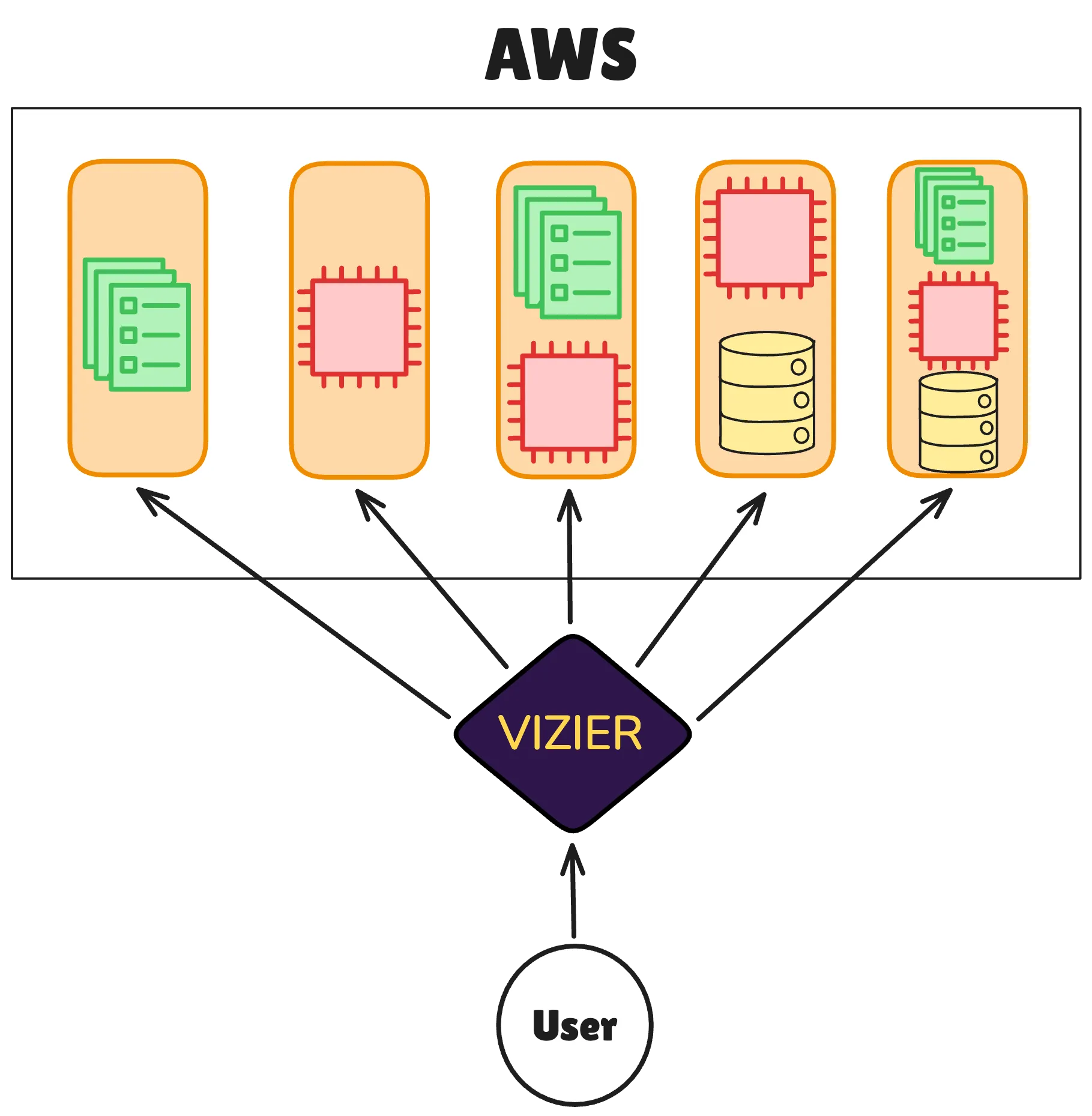
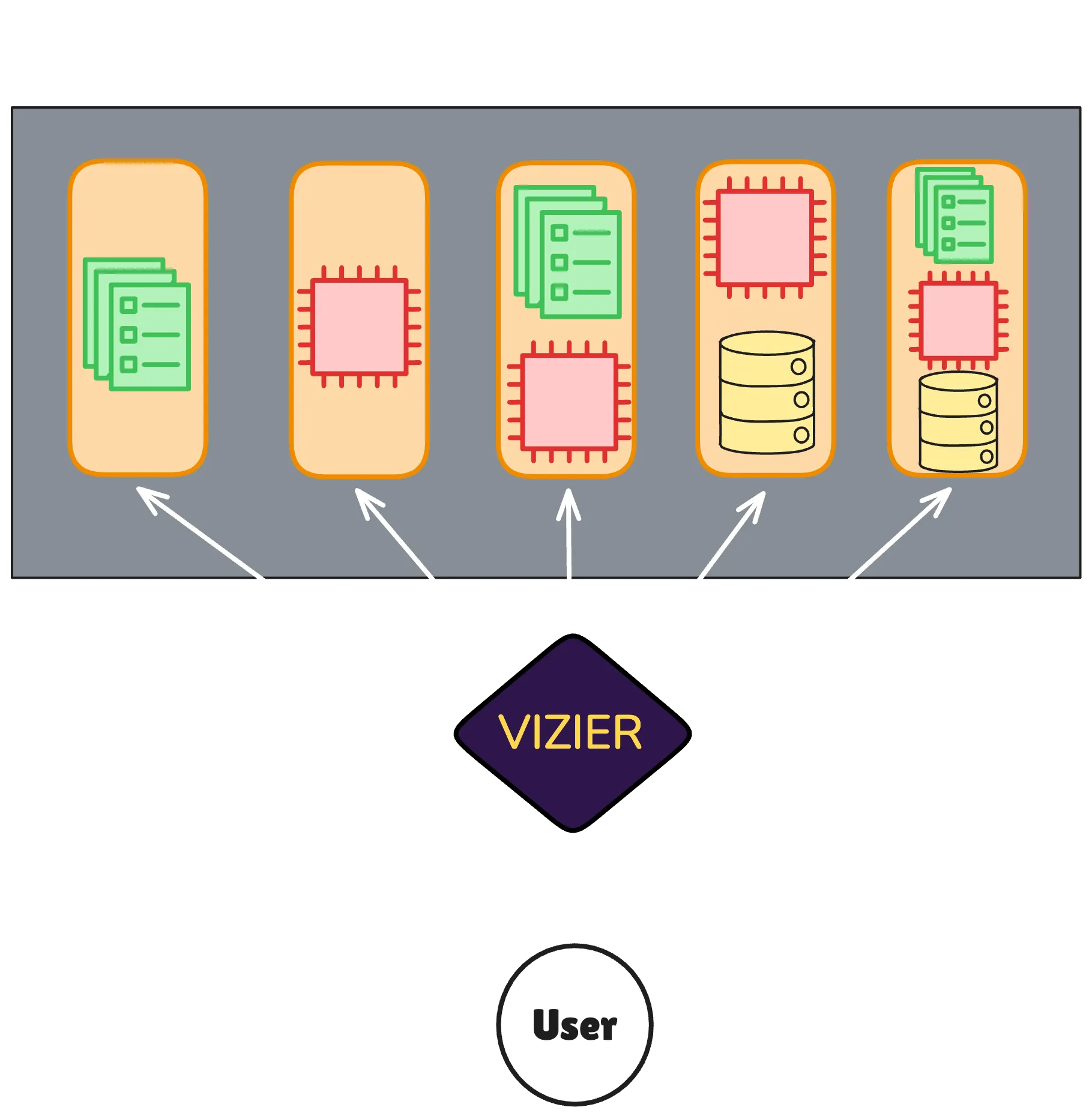
Caption: Each project is deployed as its own CloudFormation stack.
Based on the selected stack, Vizier provisions and configures resources on AWS. Any desired configuration settings that deviate from what Vizier chooses must be manually edited after deployment in the AWS console.
Redeployment
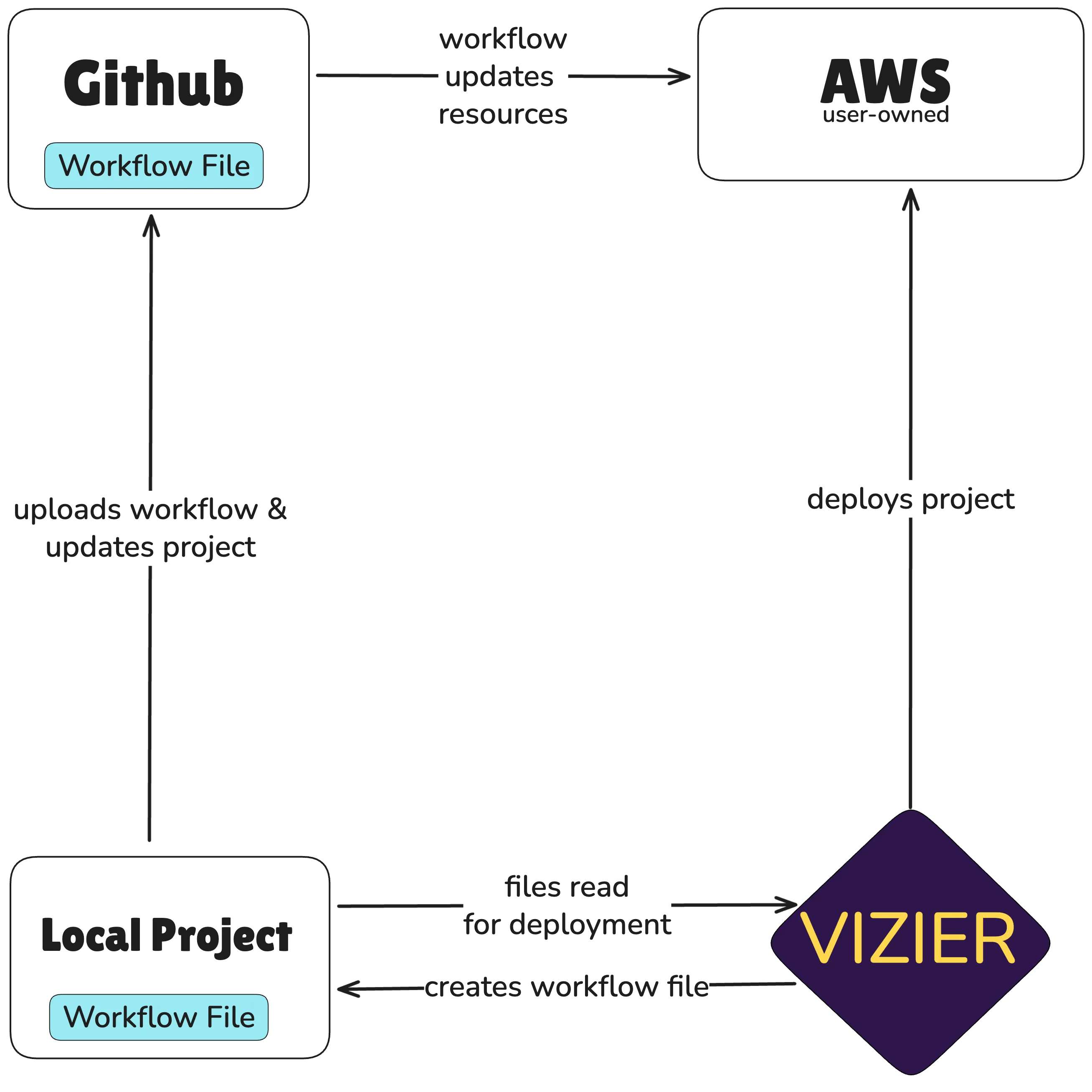
Section titled “Redeployment”While users can manually redeploy their updated applications through the Vizier CLI, Vizier offers automatic redeployment powered by GitHub Actions. A GitHub Actions workflow tailored to the selected stack type is created within the user’s project repo. Once the file is pushed to GitHub, the workflow will be executed on git push. This workflow leverages the AWS for GitHub Actions library to interact with AWS. It updates the front end by synchronizing static files with S3, and updates the back end by building a new image and deploying it to ECS.